
Is WordPress Dying, or Is It Still the Smartest Choice for Your Las Vegas Business?
 by Elijah LeFavour, Chief AI Officer Web Design Advice

In brief: Is WordPress dying? No, but it has slipped from its 43.6 percent peak at the start of 2025 to 39.3 percent of all websites in November 2026. That still puts it more than three times ahead of Shopify, Wix and Squarespace combined, so your platform choice deserves more than a headline.
Short answer: WordPress is not dying, but its share has slipped every month of 2026. Choose a WordPress website when you want to own your site, grow it for years and connect AI tools on your own terms.
You have heard it from a sales rep, a YouTube ad or a friend who built a site with AI in an afternoon. WordPress is old, the pitch goes, so why build your business on it? Before you rebuild your website on that advice, look at what the numbers say. For this guide, I checked every number against its primary source, from W3Techs and WordPress.org to Patchstack and Google Search Central.
Why Do People Keep Saying WordPress Is Dying?

The worry has a real basis, and you deserve the honest version. W3Techs shows WordPress losing share every month of 2026, from 43.0 percent of all websites on January 1 to 39.3 percent on November 10. Shopify edged up over the same stretch, while Wix and Squarespace ended where they started. That trend explains the "WordPress is dead" headlines in your feed.
The rivals have grown fast from a small base. Between January 2020 and January 2026, W3Techs measured Shopify rising from 1.9 to 5.0 percent of all websites and Wix rising from 1.3 to 4.2 percent. Squarespace moved from 1.5 to 2.4 percent. AI website builders add to the doubt by promising your whole site in minutes. So is WordPress dying, or only losing share?
Is WordPress Dying? What Do the Numbers Say?

Here is how the major platforms compare in market share today, using W3Techs' content management system survey from November 10, 2026. Read the second column as your fairest comparison, because it counts only the sites whose platform W3Techs identifies. These numbers tell you where the web stands right now.
| Platform | Share of all websites | Share of sites with a known platform |
|---|---|---|
| WordPress | 39.3% | 58.1% |
| Shopify | 5.3% | 7.9% |
| Wix | 4.2% | 6.2% |
| Squarespace | 2.4% | 3.6% |
Your takeaway is the size of the gap. The three hosted builders together hold 11.9 percent of all websites, under a third of WordPress alone. WordPress climbed from 23.3 percent of websites in 2015 to a peak of 43.6 percent on January 1, 2025, according to W3Techs' yearly trend data. A platform at 39.3 percent is past its peak, yet it still runs nearly four in ten of the websites W3Techs tracks.
The ecosystem behind your site is enormous too. WordPress.org's directory lists more than 74,000 plugins and nearly 9,000 themes. The first release shipped on May 27, 2003, and WordPress 6.9 alone credited more than 900 contributors in December 2025. Your site sits on 23 years of open-source work that keeps shipping.
My take: a smaller share still leaves WordPress far ahead, and the real question is who should choose it. If you plan to publish, rank and sell through your website, choose the platform built to grow with you. Your site should match your ambitions, not the latest headline.
Will an AI Website Builder Run Your Business Site for Years?

Building a website is the easy part now. Running your site for years, with real people editing it every week, is the hard part. That is where the platform you pick starts to matter for your business.
What WordPress handles out of the box
- User roles. Built-in roles such as Administrator, Editor, Author and Contributor let you control who changes what on your site.
- Revisions. WordPress stores a record of each saved draft or published update, so you roll back a bad edit in a few clicks.
- Scheduled posts and review steps. Your team schedules content ahead and sends drafts for approval before anything goes live.
- XML sitemaps. Since WordPress 5.5 in 2020, core builds a sitemap that helps search engines discover your important pages.
- A REST API. Your other software reads and writes site content through the WordPress REST API.
Where AI-built sites trip up
Search visibility depends on setup, not the logo on your platform. In a 2024 Google SEO Office Hours answer, Google said most platforms work fairly well for SEO out of the box and urged owners to set up the SEO side properly before launch. Google's JavaScript SEO guide adds a clear tip: server-side or pre-rendering is still a great idea because not all bots run JavaScript. Check how your builder renders pages before you launch, and ask whether it serves finished HTML to crawlers.
Is WordPress Ready for AI Agents?

WordPress is building for AI in the open, and you see every step on make.wordpress.org. The Abilities API shipped in WordPress 6.9, and the Core AI team describes it as a new core API for describing what an AI system can do inside WordPress. In plain terms, your site keeps one shared list of the actions it allows, and plugins, themes and AI tools all read from that same list.
The next piece connects those abilities to the AI tools you already use. WordPress.org publishes its own MCP Adapter plugin, with more than 70,000 active installations. It bridges the Abilities API with the Model Context Protocol, giving AI agents a standardized way to work with WordPress. Your WordPress AI setup follows the permissions you set on your own site.
WordPress keeps moving forward too. The current core release is version 7.1. Check which version your site runs, and keep your site current.
Are WordPress Plugins a Security Risk for Your Business?

Plugins carry real risk, and you should know the numbers before you install one. Patchstack's State of WordPress Security in 2026 report counted 11,334 new vulnerabilities in the WordPress ecosystem in 2025, a 42 percent increase over 2024. Patchstack found 91 percent of them in plugins and 9 percent in themes, with only 6 low-priority issues in WordPress core. Your risk lives in the plugins you choose and how you maintain them.
Speed matters for your site too. Patchstack reports 46 percent of vulnerabilities did not receive a developer fix in time for public disclosure. It puts the median time to mass exploitation at five hours for heavily exploited flaws. Patchstack sells vulnerability mitigation, so read its warning that updates alone are not enough as a vendor's view backed by its own data.
Good habits protect your site far better than worry does. Each step cuts your exposure to the plugin flaws Patchstack tracks. Protect your site with these firm habits:
- Install fewer plugins, and pick ones with active developers and recent updates.
- Turn on automatic updates for plugins and themes, a core feature since WordPress 5.5.
- Remove plugins and themes you no longer use.
- Keep daily backups and a tested way to restore them.
- Give each person on your team their own login with only the access they need.
When Is WordPress the Right Choice for Your Las Vegas Business?
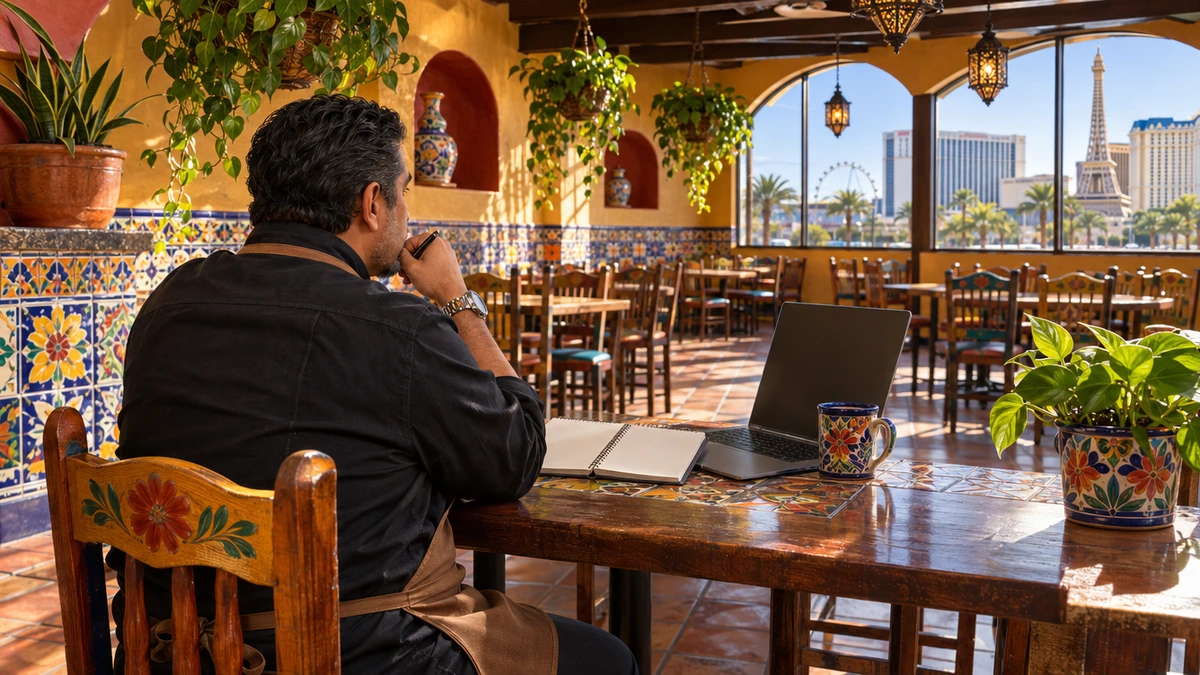
WordPress fits your business best when your website has a job to do every day. Choose it when you plan to publish content, rank in several Las Vegas neighborhoods, take bookings, sell products or serve customers in a second language. Core features and plugins support each of those jobs, and you keep full ownership of your site and your data.
A hosted builder fits a different owner. If you need one simple page, never plan to add content and want zero maintenance, a builder keeps your life easy. Be honest about where your business will be in three years before you choose. Whichever platform you pick, ask your designer how they keep your pages fast, because heavy themes and piles of plugins drag down performance on any site.
My advice: pick the platform for the business you are building, not the one you run today. Moving a growing site off a closed builder later costs you far more time than starting on WordPress. Write down your three-year plan before you pick a platform.
Why Spectral Vision Builds Las Vegas Websites on WordPress

You want a partner with a long WordPress track record. Spectral Vision has built more than 1,000 WordPress websites over the past eight years, and we have helped Las Vegas businesses grow since 2018. We work from five offices across the Las Vegas valley.
See how our Las Vegas web design services work for your business. Choosing a host next? Read our guide to picking a WordPress hosting provider, or learn why skilled WordPress designers in Las Vegas are hard to find.
Is WordPress Still Worth It? Your Questions Answered
Is WordPress dying in 2026?
No. WordPress is still relevant, and it runs 39.3 percent of all websites and 58.1 percent of sites with a known platform, according to W3Techs. Its share is down from the 2025 peak, yet it still leads every rival by a wide margin. Your customers visit WordPress sites every day without knowing it.
Is WordPress good for small business websites?
WordPress suits small businesses that want to grow their site over time. You get built-in user roles, revisions, scheduling and sitemaps, plus a huge plugin library for bookings, shops and forms. Your site and your content stay yours.
Should I use an AI website builder instead of WordPress?
Use an AI builder for a quick, simple page you rarely change. Choose WordPress when your site needs to rank, take leads and grow for years. Check how any AI-built site renders for search engines, because Google calls server-side or pre-rendering a great idea.
Does WordPress work with AI tools?
Yes. WordPress 6.9 added the Abilities API, and WordPress.org's MCP Adapter plugin connects your site to AI agents through the Model Context Protocol. You decide which actions those tools are allowed to take on your site.
Is WordPress secure enough for my business?
WordPress core itself carried only 6 low-priority vulnerabilities in 2025, according to Patchstack. Your real risk comes from plugins and slow updates. Keep plugins few, updated and well chosen, and back up your site every day.
Ready to choose the right platform for your next website? Talk with our Las Vegas web design team, and bring the address of your current site to the call. Jot down the three things you want your website to do for you, too.
Like this article? Add Spectral Vision as a preferred source, and you are more likely to see our articles in Google's Top Stories.

More Web Design Guides

Do I Have to Pay Monthly for a Website? Are Web Design Agencies Overcharging You?
Do you have to pay monthly for a website? Learn when web design agencies overcharge, what ongoing fees really cover and how to keep more money in your pocket.
Read the article
WordPress Web Designers in Las Vegas: Why Are They So Hard to Find?
Why are skilled WordPress web designers in Las Vegas so hard to find? Learn what to look for in a WordPress developer and how to hire one you can trust.
Read the article
A Unique Guide to WordPress Web Design Services in Las Vegas
Thinking about WordPress for your business? This unique guide to WordPress web design services in Las Vegas shows you what to expect and how to choose well.
Read the article